
Microsoft SQL Server Lizenzen
Microsoft SQL Server is a relational database server. Standard suits most business databases; Enterprise adds high availability and advanced performance features.
- 2
- 3
- 4
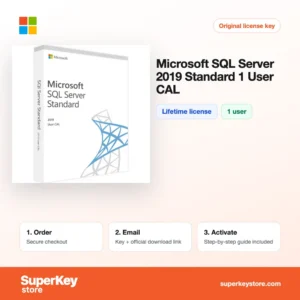
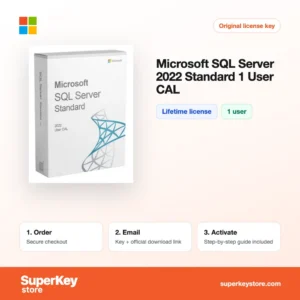
Buy Microsoft SQL Server Licenses at SuperKeyStore
SQL Server is Microsoft's database engine for business applications, from ERP and accounting systems to websites and reporting. IT administrators, software vendors and companies that host their own line-of-business software install it on Windows Server or Linux. This category holds the Standard and Enterprise editions from 2016 to 2025 plus user CALs.
The newest releases are SQL Server 2025 Standard und SQL Server 2025 Enterprise, and user access is licensed with SQL Server 2025 Standard 1 User CAL. License keys and download information are delivered by email, usually within minutes.
Why buy a SQL Server license?
SQL Server offers a mature platform for storing and querying business data:
- Wide application support: Many commercial business programs require SQL Server as their database, so a license is often a prerequisite for installing them.
- Reporting and integration: SQL Server Reporting Services and Integration Services let you build reports and move data between systems.
- Security features: Transparent Data Encryption, Always Encrypted and row-level security help protect sensitive records.
- High availability: Standard supports basic availability groups for two nodes; Enterprise adds full Always On availability groups with readable secondaries.
- Familiar tools: SQL Server Management Studio and T-SQL are widely known, so finding skilled staff and documentation is easy.
What are the main features of SQL Server?
Across versions, SQL Server combines several services on one licensed server:
1. Database Engine
The core engine stores data in tables, enforces relationships and runs T-SQL queries and stored procedures. Business applications use it for orders, accounting and customer records.
2. Query performance tools
Query Store, columnstore indexes and intelligent query processing help queries run faster and make slow ones easy to find. Database administrators spend less time on manual tuning.
3. Availability and disaster recovery
Log shipping, backup to URL and availability groups keep databases running or recoverable after failures. Enterprise supports larger clusters and readable replicas for reporting.
4. Reporting and data integration
Reporting Services publishes paginated reports, and Integration Services moves and transforms data between systems. Analysts can deliver reports without a separate product.
5. Modern data features in 2025
SQL Server 2025 adds built-in vector data types and AI-related search features, plus native JSON improvements. Developers can build search and AI features close to their data.
Which SQL Server product is right for you?
Standard edition fits most small and mid-sized databases; Enterprise is for large, mission-critical workloads that need maximum memory, partitioning and advanced availability. Under the Server + CAL model, each user who accesses the server also needs a CAL.
| Produkt | Best for | Edition | License type |
|---|---|---|---|
| SQL Server 2025 Standard | New business databases | Standard | Server license |
| SQL Server 2025 Enterprise | Large or critical workloads | Enterprise | Server license |
| SQL Server 2022 Standard | Applications that require the 2022 release | Standard | Server license |
| SQL Server 2019 Standard | Existing 2019 environments | Standard | Server license |
| SQL Server 2025 Standard 1 User CAL | Adding a user to a 2025 server | Standard | 1 user CAL |
| SQL Server 2022 Standard User CAL | Adding a user to a 2022 server | Standard | 1 user CAL |
Choose the version your business application vendor supports. Releases 2017 and 2016 are also listed for legacy systems.
What are the system requirements for SQL Server?
SQL Server needs a 64-bit x64 server running a supported Windows Server version or Linux distribution, with at least 4 GB of RAM recommended for Standard; check each product's System Requirements tab, because supported operating systems differ by version.
| Komponente | Typical minimum |
|---|---|
| Betriebssystem | A supported 64-bit Windows Server version (newer SQL versions need newer Windows Server releases) or a supported Linux distribution |
| Prozessor | x64 processor, 1.4 GHz minimum, 2.0 GHz or faster recommended |
| Arbeitsspeicher (RAM) | 1 GB minimum; 4 GB or more recommended, more for production workloads |
| Speicherplatz | At least 6 GB for installation, plus space for your databases and backups |
| Other | .NET Framework on Windows for some components; internet access for download and updates |
How do you download and activate SQL Server?
- Order: Select the edition, version and number of CALs you need and check out.
- Email delivery: The product key and download link arrive usually within minutes; a security check can take up to 24 hours.
- Download setup: Get the installation media from Microsoft's official website.
- Enter the key: Run SQL Server setup, enter the product key on the Product Key page and complete the installation.
What happens to my SQL Server license if I reinstall or format my computer?
SQL Server has no online activation; the product key is entered during setup. After reinstalling the server operating system, run SQL Server setup again with the same key and restore your databases from backup. Make sure you have current database backups before you format, because the data files are lost with the disk.
Can I move a SQL Server license to a new PC or Mac?
You can reassign a SQL Server license to new server hardware; Microsoft's terms generally allow this once every 90 days, except in case of hardware failure. Uninstall it from the old server and install it on the new one with the same key. SQL Server does not run natively on macOS, and CALs follow the user or device rather than the server.
What if my Microsoft SQL Server key does not work?
Email support with your order number and a screenshot of the setup screen showing the error. We will issue a replacement key or a refund as set out in the Erstattungsbedingungen.
Frequently asked questions about SQL Server
Do I need CALs for SQL Server?
Yes, with Server + CAL licensing each user or device that accesses the database needs a SQL Server CAL. Core-based licensing does not need CALs but costs more per server.
What is the difference between SQL Server Standard and Enterprise?
Standard limits the compute and memory it uses and offers basic high availability. Enterprise removes those limits and adds advanced performance, security and availability features.
Can I use SQL Server Express instead?
Express is free but limited to small databases, at 10 GB per database in recent versions. Production systems with more data or users need Standard or Enterprise.
Which SQL Server version should I buy?
Buy the newest version your applications support, because it has the longest remaining support period. If a vendor only supports an older release, choose that version to stay within their support terms.
Does SQL Server need Windows Server?
SQL Server runs on Windows Server and, since version 2017, also on Linux. Most business installations use Windows Server.
Can I use an older SQL Server version with a newer CAL?
Yes, a CAL gives access to the same or an earlier version of SQL Server. An older CAL does not cover a newer server version.
How many CALs do I need?
You need one CAL for every user or device that accesses the SQL Server, directly or indirectly through an application. Multiplexing through a web or middleware layer does not reduce the count.
Can I run SQL Server in a virtual machine?
Yes, SQL Server is fully supported in Hyper-V, VMware and cloud virtual machines. Licensing rules for virtual environments depend on the edition and licensing model.
Can I upgrade an existing SQL Server to a newer version?
Yes, setup supports in-place upgrades from recent earlier versions. Many administrators prefer a side-by-side installation and database migration to keep a fallback.
More server software
SQL Server sits within Windows Server Lizenzen & CALs, where you also find the operating system for your database host. Client machines can be equipped through Windows Lizenzen und Microsoft Office Lizenzen.
Was erhalten Sie beim Kauf von Microsoft SQL Server Lizenzen bei SuperKeyStore?
Sie erhalten eine E-Mail mit Ihrem Lizenzschlüssel, dem offiziellen Download-Link und einer Schritt-für-Schritt-Anleitung zur Aktivierung. Diese Leistungen sind in jeder Bestellung enthalten:
- Lizenzschlüssel: der Produktschlüssel für die Edition, Laufzeit und Geräteanzahl, die auf der Produktseite genannt sind.
- Offizieller Download: ein Link zum Installationsprogramm auf der Website des Herstellers.
- Aktivierungsanleitung: die Schritte zur Installation und Aktivierung der Software, auch im Tab «Download & Aktivierung» zu sehen.
- Bestellverlauf: der Key bleibt in Ihrer Bestätigungs-E-Mail und unter Mein Konto.
- E-Mail-Support: Hilfe bei Installation oder Aktivierung von unserem Support-Team.
Warum Softwarelizenzen bei SuperKeyStore kaufen?
SuperKeyStore verkauft digitale Lizenzschlüssel mit Lieferung per E-Mail, sicherem Bezahlvorgang und klaren Regeln für fehlerhafte Keys. Die wichtigsten Gründe für eine Bestellung sind:
- Digitale Lieferung: kein Versand, der Key kommt in der Regel innerhalb weniger Minuten nach der Zahlung per E-Mail, und einige Bestellungen durchlaufen eine Sicherheitsprüfung von bis zu 24 Stunden.
- Klare Produktangaben: jede Produktseite nennt Edition, Plattform, Lizenzlaufzeit und Geräteanzahl.
- Ersatz oder Erstattung: wenn ein Key nicht funktioniert, erhalten Sie einen funktionierenden Key oder Ihr Geld zurück, wie in den Erstattungsbedingungen.
- Sichere Zahlung: Zahlungen werden vom Zahlungsanbieter abgewickelt, SuperKeyStore speichert keine vollständigen Kartendaten.
Weitere Softwarelizenzen im Katalog von SuperKeyStore
SuperKeyStore verkauft auch Lizenzen in diesen Kategorien:
- Windows Lizenzen: Windows 11 Lizenzen · Windows 10 Lizenzen
- Microsoft Office Lizenzen: Office 2024 Lizenzen · Microsoft Office für Mac Lizenzen · Microsoft Word, Excel & Office-App Lizenzen · Microsoft Project Lizenzen · Microsoft Visio Lizenzen
- Microsoft 365 Lizenzen
- Antivirus-Lizenzen: Norton Antivirus-Lizenzen · McAfee Antivirus-Lizenzen · Kaspersky Antivirus-Lizenzen · Bitdefender Antivirus-Lizenzen · ESET Antivirus-Lizenzen · Avast Antivirus-Lizenzen · AVG Antivirus-Lizenzen · Panda Antivirus-Lizenzen · VPN Lizenzen · Lizenzen für Unternehmenssicherheit
- Windows Server Lizenzen & CALs: Windows Server CAL & RDS-CAL Lizenzen · Microsoft SQL Server Lizenzen · Exchange & SharePoint Server Lizenzen
- CAD- & 3D-Design-Software Lizenzen: Autodesk Software-Lizenzen · Graphisoft Archicad Lizenzen · SolidWORKS Lizenzen
- Grafik- & Fotosoftware Lizenzen: Adobe Software-Lizenzen · CorelDRAW Lizenzen
- PDF- & Office-Tools Lizenzen
- Backup- & Datenrettungssoftware Lizenzen
- Video- & Musiksoftware Lizenzen
- Virtualisierungssoftware Lizenzen
- Office- & Windows-Pakete