
Backup- & Datenrettungssoftware Lizenzen
Backup- und Datenrettungssoftware kopiert Ihre Dateien und Ihr System an einen sicheren Ort und stellt verlorene oder gelöschte Daten wieder her. Die Kategorie enthält Acronis True Image, AOMEI Backupper, EaseUS Todo Backup und Data Recovery Wizard sowie die Reparatur- und Wiederherstellungswerkzeuge von Stellar.
- 2
- 3
- 4


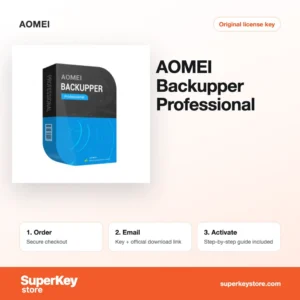
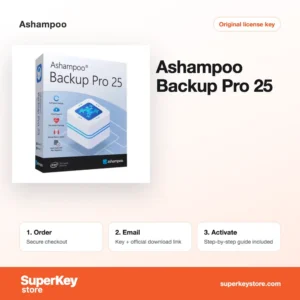
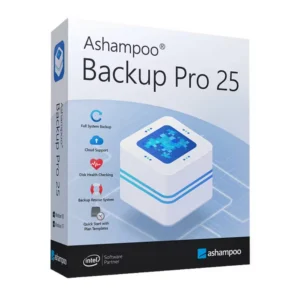
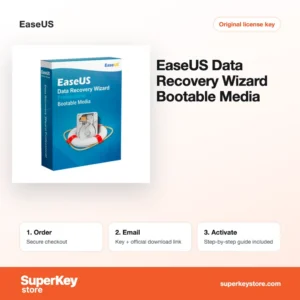
Buy Backup & Data Recovery Software Licenses at SuperKeyStore
Backup software makes regular copies of your files, programs and entire system, so you can restore them after a hardware failure, ransomware or a mistake. Data recovery software works the other way round: it finds files that were deleted or lost when no backup exists. This category combines both, with tools from Acronis, AOMEI, Ashampoo, EaseUS and Stellar.
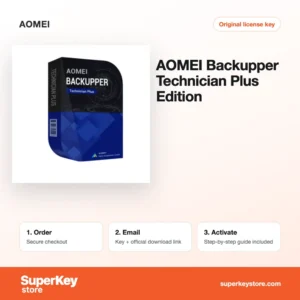
Home users will find tools such as Acronis True Image Essentials und AOMEI Backupper Professional, while technicians and companies can choose server and technician editions. Every order includes a license key and a link to the official download, sent by email, usually within minutes.
Why buy a backup and data recovery license?
A paid backup or recovery tool protects data that is often impossible to replace:
- Full system images: Image backups copy Windows, programs and settings. After a disk failure you restore the whole PC instead of reinstalling everything.
- Scheduled and incremental backups: Backups run automatically and only save changes, which saves time and storage space.
- Disk cloning: Tools such as EaseUS Disk Copy Pro move a system to a new SSD without reinstalling Windows.
- Recovery of deleted files: Recovery programs scan drives, memory cards and USB sticks for deleted or formatted data.
- Repair of damaged files: Specialized tools repair corrupted Outlook mailboxes, Excel workbooks, photos and SQL databases.
What are the main features of backup and data recovery software?
The programs in this category share several core functions, although each brand weights them differently:
1. Image and file backup
Image backups capture an entire disk or partition, while file backups copy chosen folders. Home users protect the whole PC, and office workers back up just their documents.
2. Flexible backup targets
Backups can be stored on external drives, network storage or, with some products, in the cloud. Keeping a copy off-site protects you against theft and fire.
3. Bootable rescue media
Most tools create a USB stick that starts the computer when Windows no longer boots. From there you restore an image or rescue files.
4. Deleted file recovery
Recovery tools scan for lost partitions and deleted files by file signature. People who emptied the recycle bin or formatted a card can often get their data back.
5. Specialized file repair
Some products repair damaged documents, photos, videos and mail databases. Businesses regain access to files that the original program can no longer open.
Which backup or recovery product is right for you?
If your data is still safe, buy a backup tool now; if files are already lost, you need a data recovery tool. The table compares typical choices for different users.
| Produkt | Best for | Platform | License/term |
|---|---|---|---|
| Acronis True Image Advanced (1 device, 1 year) | Image backup with cloud storage and security features | Windows, macOS | 1 device, 1 year |
| AOMEI Backupper Professional | System, disk and file backup on a home PC | Windows | See product page |
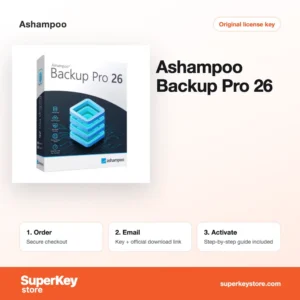
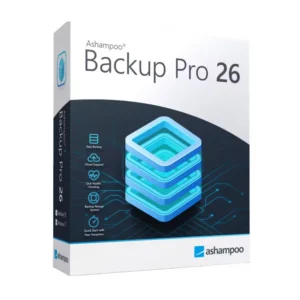
| Ashampoo Backup Pro 26 | Simple automatic backups for home users | Windows | See product page |
| EaseUS Todo Backup for Mac | Backing up a Mac | macOS | See product page |
| Stellar Data Recovery Professional | Recovering deleted files on Windows | Windows | See product page |
| EaseUS Data Recovery Wizard Technician | Service providers recovering data for clients | Windows | Technician license |
Mac users who already lost files can choose EaseUS Data Recovery Wizard for Mac.
A good rule is to combine both types of software. Use a backup tool for daily protection and keep a recovery tool for the moments when something was not yet backed up. Small businesses with servers should plan a server edition from the start, since desktop editions do not cover Windows Server.
What are the system requirements for backup and data recovery software?
Most products run on any current Windows PC, and Mac editions on recent macOS versions; requirements differ, so check each product's System Requirements tab.
| Komponente | Mindestens |
|---|---|
| Betriebssystem | Windows 11 or 10 for most tools; macOS for Mac editions; Windows Server for server editions |
| Prozessor | Any current x64 processor |
| Arbeitsspeicher (RAM) | 2 to 4 GB for most tools; more for server and repair toolkits |
| Speicherplatz | Space for the program plus a separate drive large enough for backups or recovered files |
| Other | Internet connection for activation; a USB stick for rescue media |
How do you download and activate backup and recovery software?
- Order: Select the product and edition for your system and pay at checkout.
- Get the email: The key and download link arrive by email, usually within minutes. In some cases a security check delays the email by up to 24 hours.
- Download: Install the program from the developer's official website. For data recovery, install it on a different drive from the one with the lost files.
- Enter the key: Open the program, choose the activation or registration option and paste your key.
What happens to my backup and data recovery software license if I reinstall or format my computer?
How you reactivate depends on the brand. With most tools you reinstall from the developer's website and enter the same key, and accounts such as Acronis restore the license after sign-in. Make a full backup and note your keys before formatting, and never recover files to the drive you are reinstalling.
Can I move a backup and data recovery software license to a new PC or Mac?
Single-PC licenses can usually be moved by deactivating or uninstalling on the old computer and activating on the new one. Subscriptions like Acronis are managed in your online account, where you can remove the old device. Mac and Windows versions are separate products, and Technician licenses follow their own terms.
What if my Backup & Data Recovery key does not work?
Email our support with the order number and a screenshot of the error. We will send a replacement key or refund the order in line with the Erstattungsbedingungen.
Frequently asked questions about backup and data recovery software
What is the difference between backup and data recovery software?
Backup software copies data before something goes wrong. Recovery software tries to rescue data after it was lost without a backup.
Is a one-time license or a subscription better?
Some products, such as Ashampoo Backup Pro, are sold as a one-time license, while Acronis True Image Advanced runs for one year. A subscription usually includes cloud storage and ongoing updates.
Can deleted files always be recovered?
No, files that have been overwritten by new data cannot be restored. Stop writing to the affected drive as soon as you notice the loss.
What does a Technician license allow?
Technician editions are made for IT service providers who use the software on computers of several clients. Read the developer's terms for the exact scope.
Do I need special software to back up a server?
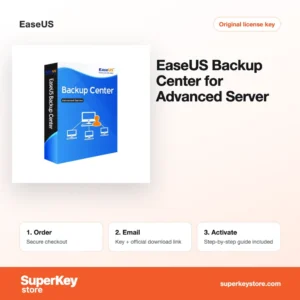
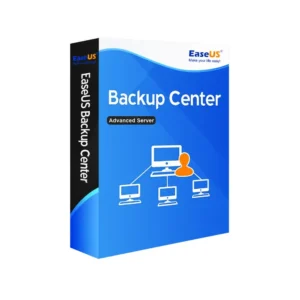
Yes, Windows Server needs a server edition, such as EaseUS Todo Backup Advanced Server. Desktop editions do not install on server systems.
How often should I back up my computer?
Daily or continuous backups are sensible for work data, weekly backups for most home users. Automatic schedules make this simple.
Can I restore a system image to a new disk?
Yes, most tools restore images to a new HDD or SSD, and some can adapt them to different hardware. This is useful after a drive failure.
Does backup software protect against ransomware?
A backup stored offline or in the cloud lets you restore files after an attack. Acronis also includes active ransomware protection.
Can I recover files from a phone?
Yes, tools such as EaseUS MobiSaver and Stellar Data Recovery for iPhone recover data from mobile devices. Results depend on the device and its encryption.
Related software categories
Protect your PC further with Antivirus-Lizenzen, or browse Windows Lizenzen und Windows Server Lizenzen & CALs.
Was erhalten Sie beim Kauf von Backup- & Datenrettungssoftware Lizenzen bei SuperKeyStore?
Sie erhalten eine E-Mail mit Ihrem Lizenzschlüssel, dem offiziellen Download-Link und einer Schritt-für-Schritt-Anleitung zur Aktivierung. Diese Leistungen sind in jeder Bestellung enthalten:
- Lizenzschlüssel: der Produktschlüssel für die Edition, Laufzeit und Geräteanzahl, die auf der Produktseite genannt sind.
- Offizieller Download: ein Link zum Installationsprogramm auf der Website des Herstellers.
- Aktivierungsanleitung: die Schritte zur Installation und Aktivierung der Software, auch im Tab «Download & Aktivierung» zu sehen.
- Bestellverlauf: der Key bleibt in Ihrer Bestätigungs-E-Mail und unter Mein Konto.
- E-Mail-Support: Hilfe bei Installation oder Aktivierung von unserem Support-Team.
Warum Softwarelizenzen bei SuperKeyStore kaufen?
SuperKeyStore verkauft digitale Lizenzschlüssel mit Lieferung per E-Mail, sicherem Bezahlvorgang und klaren Regeln für fehlerhafte Keys. Die wichtigsten Gründe für eine Bestellung sind:
- Digitale Lieferung: kein Versand, der Key kommt in der Regel innerhalb weniger Minuten nach der Zahlung per E-Mail, und einige Bestellungen durchlaufen eine Sicherheitsprüfung von bis zu 24 Stunden.
- Klare Produktangaben: jede Produktseite nennt Edition, Plattform, Lizenzlaufzeit und Geräteanzahl.
- Ersatz oder Erstattung: wenn ein Key nicht funktioniert, erhalten Sie einen funktionierenden Key oder Ihr Geld zurück, wie in den Erstattungsbedingungen.
- Sichere Zahlung: Zahlungen werden vom Zahlungsanbieter abgewickelt, SuperKeyStore speichert keine vollständigen Kartendaten.
Weitere Softwarelizenzen im Katalog von SuperKeyStore
SuperKeyStore verkauft auch Lizenzen in diesen Kategorien:
- Windows Lizenzen: Windows 11 Lizenzen · Windows 10 Lizenzen
- Microsoft Office Lizenzen: Office 2024 Lizenzen · Microsoft Office für Mac Lizenzen · Microsoft Word, Excel & Office-App Lizenzen · Microsoft Project Lizenzen · Microsoft Visio Lizenzen
- Microsoft 365 Lizenzen
- Antivirus-Lizenzen: Norton Antivirus-Lizenzen · McAfee Antivirus-Lizenzen · Kaspersky Antivirus-Lizenzen · Bitdefender Antivirus-Lizenzen · ESET Antivirus-Lizenzen · Avast Antivirus-Lizenzen · AVG Antivirus-Lizenzen · Panda Antivirus-Lizenzen · VPN Lizenzen · Lizenzen für Unternehmenssicherheit
- Windows Server Lizenzen & CALs: Windows Server CAL & RDS-CAL Lizenzen · Microsoft SQL Server Lizenzen · Exchange & SharePoint Server Lizenzen
- CAD- & 3D-Design-Software Lizenzen: Autodesk Software-Lizenzen · Graphisoft Archicad Lizenzen · SolidWORKS Lizenzen
- Grafik- & Fotosoftware Lizenzen: Adobe Software-Lizenzen · CorelDRAW Lizenzen
- PDF- & Office-Tools Lizenzen
- Backup- & Datenrettungssoftware Lizenzen
- Video- & Musiksoftware Lizenzen
- Virtualisierungssoftware Lizenzen
- Office- & Windows-Pakete