
Parallels
- 2
- 3
- 4
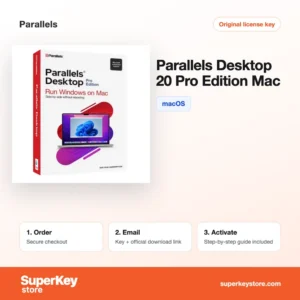
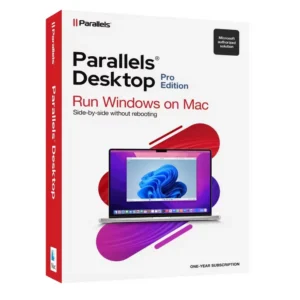
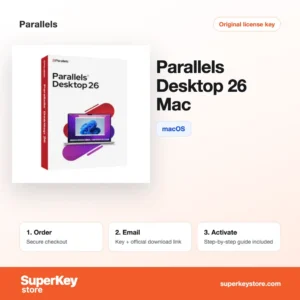
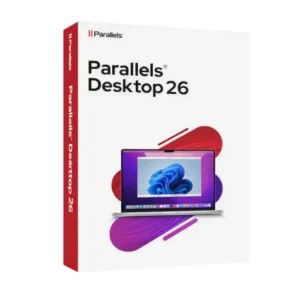
Buy Parallels Software Licenses at SuperKeyStore
Parallels Desktop lets you run Windows, Linux and other operating systems as virtual machines on a Mac, side by side with macOS. You do not need to restart the computer to switch systems. It suits Mac users who still depend on Windows-only programs, developers who test across systems, and students whose courses require Windows software.
The brand range covers Parallels Desktop 26 for Mac, Parallels Desktop 26 Pro for Mac, Parallels Desktop 27 Pro for Mac (1 Year) and the earlier Pro Edition 20. Each order brings a license key and a link to the download by email, usually within minutes.
Why buy a Parallels Desktop license?
Parallels Desktop removes the need for a second computer or a dual-boot setup on your Mac:
- Windows apps on a Mac: Run Microsoft Office for Windows, accounting tools, engineering software or older business programs next to your Mac apps.
- Apple silicon support: On Macs with M-series chips, Parallels runs the Arm version of Windows 11, which can also run many x86 Windows apps through emulation.
- Coherence mode: Windows programs can appear as normal Mac windows, without the Windows desktop. Copy and paste and drag and drop work between the two systems.
- Snapshots for safe testing: Save the state of a virtual machine before an update or a risky change and roll back in seconds if something breaks.
- Several systems at once: Run Linux distributions, other macOS versions and Windows in separate virtual machines for development and support work.
What are the main features of Parallels Desktop?
Parallels Desktop focuses on making other operating systems feel like part of macOS:
1. One-click Windows setup
The Installation Assistant can download and install Windows 11 for you. New users get a working virtual machine without building one by hand.
2. Coherence and shared folders
Coherence hides the Windows desktop so Windows apps sit in the Mac Dock. Shared folders and a shared clipboard let both systems use the same files.
3. Snapshots and rollback
Snapshots record the full state of a virtual machine. Testers and IT staff can try updates and return to a known-good state at any time.
4. Graphics and gaming support
Parallels translates DirectX calls to Apple's Metal graphics framework. This lets many Windows programs with 3D views and lighter games run on a Mac.
5. Developer tools in Pro
The Pro Edition adds command-line and API control, Visual Studio integration and network simulation. Developers can automate test machines and check how apps behave on slow connections.
Which Parallels Desktop product is right for you?
Home users and students are well served by the standard edition; developers and power users should choose a Pro edition. Pro raises the memory and processor limits per virtual machine and adds developer tools such as Visual Studio integration and command-line control.
| Produkt | Best for | Platform | License/term |
|---|---|---|---|
| Parallels Desktop 26 for Mac | Running Windows apps at home or for study | macOS | See product page |
| Parallels Desktop 26 Pro for Mac | Developers and testers | macOS | See product page |
| Parallels Desktop 27 Pro for Mac (1 Year) | Newest release with Pro features | macOS | Subscription for 1 year |
| Parallels Desktop 20 Pro Edition for Mac | Pro tools on an earlier release | macOS | See product page |
Note that a Parallels license does not include a Windows license. You need a separate Windows key to activate the guest system.
What are the system requirements for Parallels Desktop?
Parallels Desktop needs a Mac with Apple silicon or an Intel processor running a recent macOS version; check each product's System Requirements tab for the versions supported by your release.
| Komponente | Typical minimum |
|---|---|
| Betriebssystem | A recent macOS version supported by your Parallels release |
| Prozessor | Apple M-series chip or Intel processor |
| Arbeitsspeicher (RAM) | 4 GB minimum; 16 GB recommended for running Windows comfortably |
| Speicherplatz | About 600 MB for the app plus at least 16 GB for each Windows virtual machine; SSD recommended |
| Other | Internet connection for activation and the Parallels account; a Windows license for the guest system |
How do you download and activate Parallels Desktop?
- Order: Choose the edition and complete checkout.
- Receive your email: The license key and download link arrive by email, usually within minutes, and in some cases up to 24 hours later after a security check.
- Download: Get Parallels Desktop from the developer's official website and install it on your Mac.
- Activate: Sign in to or create a Parallels account in the app and enter your key to activate the license.
What happens to my Parallels Desktop license if I reinstall or format my computer?
The license is linked to your Parallels account, so it survives a reinstall of macOS. Install Parallels Desktop again, sign in to the same account and the license is recognized; if needed, enter the key again. Back up your virtual machine files first, because they are stored on the Mac's disk and are lost when you format it.
Can I move a Parallels Desktop license to a new PC or Mac?
You can move it to another Mac, but not to a Windows PC, because Parallels Desktop is a macOS-only product. Deactivate the license on the old Mac or remove the device in your Parallels account, then sign in on the new Mac. Virtual machines can be copied over with Migration Assistant or an external drive.
What if my Parallels key does not work?
Send our support team your order number and a screenshot of the activation message. We then provide a replacement key or a refund as set out in the Erstattungsbedingungen.
Frequently asked questions about Parallels Desktop
Does Parallels Desktop include Windows?
No, Windows is not included. Parallels can download Windows 11 for you, but you must activate it with your own Windows license.
Does Parallels work on M1, M2, M3 and M4 Macs?
Yes, current versions support Macs with Apple silicon. On these Macs you run the Arm edition of Windows 11 rather than the x86 edition.
What is the difference between Standard and Pro Edition?
Pro allows more virtual CPUs and memory per virtual machine and adds developer and network tools. Standard covers typical home and office use.
Can I run Windows games in Parallels?
Many lighter games run well, since Parallels supports DirectX through its graphics layer. Games with anti-cheat software or heavy 3D demands may not work.
On how many Macs can I use one license?
A standard Parallels Desktop license is for one Mac. Check the product page for the exact terms of your edition.
Can I run Linux in Parallels Desktop?
Yes, Parallels supports popular Linux distributions such as Ubuntu, Fedora and Debian. On Apple silicon Macs you use the Arm versions of these distributions.
Does Parallels slow down my Mac?
A running virtual machine uses memory and processor power from the Mac. With enough RAM, most office and development work runs smoothly side by side.
Can I upgrade from an older Parallels version?
Yes, a newer version installs over the old one and keeps your virtual machines. You need a license key for the new version to activate it.
What happens when a one-year Parallels subscription ends?
Parallels Desktop stops starting virtual machines until you renew or activate a new key. Your virtual machine files remain on the Mac.
Browse Parallels Software Licenses by type
Parallels Desktop is listed in Virtualisierungssoftware Lizenzen, where you can compare it with other virtual machine software. For general questions see the FAQ.
Was erhalten Sie beim Kauf von Parallels Lizenzen bei SuperKeyStore?
Sie erhalten eine E-Mail mit Ihrem Lizenzschlüssel, dem offiziellen Download-Link und einer Schritt-für-Schritt-Anleitung zur Aktivierung. Diese Leistungen sind in jeder Bestellung enthalten:
- Lizenzschlüssel: der Produktschlüssel für die Edition, Laufzeit und Geräteanzahl, die auf der Produktseite genannt sind.
- Offizieller Download: ein Link zum Installationsprogramm auf der Website des Herstellers.
- Aktivierungsanleitung: die Schritte zur Installation und Aktivierung der Software, auch im Tab «Download & Aktivierung» zu sehen.
- Bestellverlauf: der Key bleibt in Ihrer Bestätigungs-E-Mail und unter Mein Konto.
- E-Mail-Support: Hilfe bei Installation oder Aktivierung von unserem Support-Team.
Warum Softwarelizenzen bei SuperKeyStore kaufen?
SuperKeyStore verkauft digitale Lizenzschlüssel mit Lieferung per E-Mail, sicherem Bezahlvorgang und klaren Regeln für fehlerhafte Keys. Die wichtigsten Gründe für eine Bestellung sind:
- Digitale Lieferung: kein Versand, der Key kommt in der Regel innerhalb weniger Minuten nach der Zahlung per E-Mail, und einige Bestellungen durchlaufen eine Sicherheitsprüfung von bis zu 24 Stunden.
- Klare Produktangaben: jede Produktseite nennt Edition, Plattform, Lizenzlaufzeit und Geräteanzahl.
- Ersatz oder Erstattung: wenn ein Key nicht funktioniert, erhalten Sie einen funktionierenden Key oder Ihr Geld zurück, wie in den Erstattungsbedingungen.
- Sichere Zahlung: Zahlungen werden vom Zahlungsanbieter abgewickelt, SuperKeyStore speichert keine vollständigen Kartendaten.
Weitere Softwarelizenzen im Katalog von SuperKeyStore
SuperKeyStore verkauft auch Lizenzen in diesen Kategorien:
- Windows Lizenzen: Windows 11 Lizenzen · Windows 10 Lizenzen
- Microsoft Office Lizenzen: Office 2024 Lizenzen · Microsoft Office für Mac Lizenzen · Microsoft Word, Excel & Office-App Lizenzen · Microsoft Project Lizenzen · Microsoft Visio Lizenzen
- Microsoft 365 Lizenzen
- Antivirus-Lizenzen: Norton Antivirus-Lizenzen · McAfee Antivirus-Lizenzen · Kaspersky Antivirus-Lizenzen · Bitdefender Antivirus-Lizenzen · ESET Antivirus-Lizenzen · Avast Antivirus-Lizenzen · AVG Antivirus-Lizenzen · Panda Antivirus-Lizenzen · VPN Lizenzen · Lizenzen für Unternehmenssicherheit
- Windows Server Lizenzen & CALs: Windows Server CAL & RDS-CAL Lizenzen · Microsoft SQL Server Lizenzen · Exchange & SharePoint Server Lizenzen
- CAD- & 3D-Design-Software Lizenzen: Autodesk Software-Lizenzen · Graphisoft Archicad Lizenzen · SolidWORKS Lizenzen
- Grafik- & Fotosoftware Lizenzen: Adobe Software-Lizenzen · CorelDRAW Lizenzen
- PDF- & Office-Tools Lizenzen
- Backup- & Datenrettungssoftware Lizenzen
- Video- & Musiksoftware Lizenzen
- Virtualisierungssoftware Lizenzen
- Office- & Windows-Pakete