
ESET Antivirus-Lizenzen
ESET-Lizenzen umfassen NOD32 Antivirus für Windows, die Abos ESET HOME Security Essential und Premium für mehrere Plattformen sowie die Abos ESET PROTECT für Unternehmen.
- 2
- 3
- 4
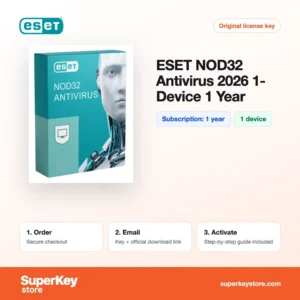
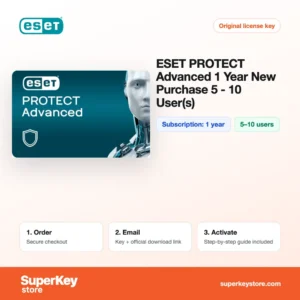
Buy ESET Antivirus Licenses at SuperKeyStore
ESET is a Slovak security vendor known for NOD32, one of the longest-running antivirus engines. Its software is light on resources and quiet in daily use, which makes it popular with gamers, older PCs and IT administrators. The range splits into ESET HOME plans for private users and ESET PROTECT plans for companies.
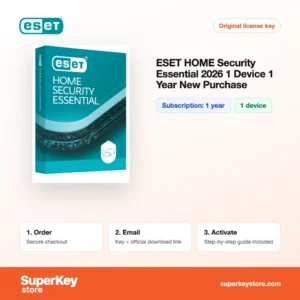
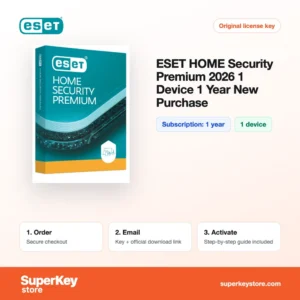
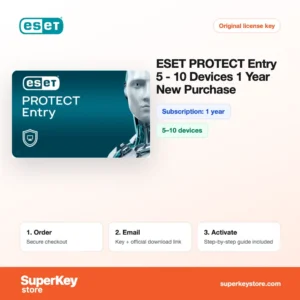
Home users can pick ESET NOD32 Antivirus 2026 or the broader ESET HOME Security Premium 2026. Small businesses can start with ESET PROTECT Entry (5-10 Devices, 1 Year). You receive a license key and a link to the official ESET download by email, usually within minutes.
Why buy an ESET license?
ESET products offer these practical benefits:
- Low impact on performance: The scanner uses little memory and CPU, and a gamer mode suppresses pop-ups during full-screen use.
- Proven detection: The NOD32 engine combines signatures, heuristics and cloud reputation data to catch new and known threats.
- Online banking protection: HOME Security plans open banking and payment sites in a secured browser window.
- Central management for firms: ESET PROTECT plans are managed from one web console, where administrators deploy and monitor protection on all endpoints.
- Layered business defense: Advanced and Complete plans add features such as cloud sandboxing, full-disk encryption and, in Complete, protection for cloud mail and storage.
What are the main features of ESET?
ESET builds its home and business products on the same detection technology. The main features are:
1. LiveGrid cloud reputation
ESET checks unknown files against reputation data collected from its user network. New threats are recognized quickly without large local updates.
2. Exploit Blocker and Ransomware Shield
These layers watch browsers, document readers and other often-attacked programs. They stop attacks that use software flaws or try to encrypt files.
3. Anti-Theft and device location
HOME Security plans can locate a lost laptop and take webcam photos of the person using it. This helps users who travel with their computer.
4. Password Manager and Secure Data
Premium adds a password manager and encrypted drives or folders. Users who store sensitive documents get an extra layer of privacy.
5. ESET PROTECT console
Business plans include a cloud or on-premises console. Administrators push policies, run scans and receive alerts for all company devices.
6. Full disk encryption
PROTECT Advanced and Complete include ESET Full Disk Encryption. Lost company laptops then do not expose their data.
For households the decision usually comes down to the number of extras you want. NOD32 Antivirus focuses on malware protection with the smallest footprint. Essential adds a firewall, network inspector and banking protection, and Premium adds privacy tools. Companies should look at PROTECT because it brings central management, reporting and licenses sized for teams of 5 to 10 users.
Which ESET product is right for you?
NOD32 is enough for one Windows PC, HOME Security Essential or Premium suits users who want more privacy tools, and PROTECT is the choice for businesses with 5 or more devices.
| Produkt | Best for | License/term | Devices/users |
|---|---|---|---|
| ESET NOD32 Antivirus 2026 | Lightweight antivirus for one Windows PC | 1 year | 1 Gerät |
| ESET HOME Security Essential 2026 | Home users who want firewall, banking and anti-theft tools | 1 year | 1 Gerät |
| ESET HOME Security Premium 2026 | Users who also want a password manager and encryption | 1 year | 1 Gerät |
| ESET PROTECT Entry (5-10 Devices, 1 Year) | Small offices with central management | 1 year | 5-10 devices |
| ESET PROTECT Advanced (1 year, 5-10 users) | Firms that need sandboxing and disk encryption | 1 year | 5-10 users |
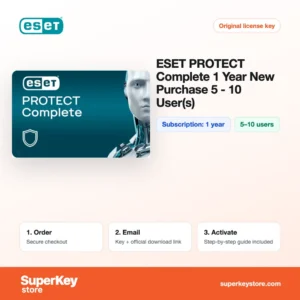
| ESET PROTECT Complete (5-10 Users, 1 Year) | Companies that also protect cloud mail and apps | 1 year | 5-10 users |
What are the system requirements for ESET?
ESET products run on almost any current computer; minimums differ slightly by product, so check each product's System Requirements tab.
| Requirement | Mindestens |
|---|---|
| Betriebssystem | Windows 10 or 11; macOS and Android for HOME Security; Windows Server for PROTECT plans |
| Prozessor | Intel or AMD x86/x64, or ARM64 on supported Windows devices |
| Arbeitsspeicher (RAM) | 1 GB |
| Speicherplatz | 1 GB free |
| Other | Internet connection for activation and updates |
Older or low-power PCs are a common reason to choose ESET, since the program is designed to keep resource use low during scans.
How do you download and activate ESET?
- Order: Pick the ESET plan and pay at checkout.
- Email: We send the license key and download link, usually within minutes; a security check can take up to 24 hours.
- Download: Download the installer from the official ESET website, or the PROTECT console for business plans.
- Activate: Enter the license key during setup, or add it to your ESET HOME or ESET PROTECT Hub account.
What happens to my ESET license if I reinstall or format my computer?
Home licenses can be kept in your ESET HOME account. After a reinstall, download ESET again and either sign in to ESET HOME or enter the same license key; business endpoints are re-added through the PROTECT console.
For a planned PC change, deactivate first and then install on the new device, so the license seat is free when you need it.
Can I move a ESET license to a new PC or Mac?
Yes. Remove the old device from ESET HOME or deactivate it in the console, then activate on the new device. HOME Security plans work on Windows, macOS and Android, while NOD32 Antivirus is for Windows only.
In business environments, licenses are pooled in ESET PROTECT Hub. Seats freed on old devices can be assigned to new ones without a new purchase.
What if my ESET Antivirus key does not work?
Email our support team with your order number and a screenshot of the activation error. We replace the key or refund you as explained in the Erstattungsbedingungen.
Frequently asked questions about ESET
Is ESET NOD32 available for Mac?
NOD32 Antivirus is a Windows product. Mac, Android and other platforms are covered by the ESET HOME Security plans.
How long does an ESET license last?
All ESET products in this category are 1-year subscriptions. You renew with a new key when the term ends.
What is the difference between Essential and Premium?
Both include antivirus, firewall and banking protection. Premium adds the ESET password manager and secure data encryption.
Is ESET PROTECT suitable for a home user?
Not really. PROTECT is built for businesses that manage several endpoints from a console, while ESET HOME plans are simpler for private use.
Can I move my ESET license to a new computer?
Yes. Remove the device from your ESET HOME account or uninstall ESET on the old PC, then activate it on the new one with the same key.
Does ESET work alongside Microsoft Defender?
ESET replaces Defender's real-time protection when installed. Windows switches Defender to passive mode automatically.
Is ESET good for gaming PCs?
Yes. Gamer mode pauses notifications and scheduled tasks while games run in full screen.
Can I upgrade from NOD32 to HOME Security?
Yes. Enter the new HOME Security key in the installed program and it switches to the larger feature set.
How many devices does PROTECT Entry cover?
The product in this category covers 5-10 devices for 1 year, depending on the quantity you order.
More security software
See all brands in Antivirus-Lizenzen, or browse Windows Server Lizenzen & CALs for business systems.
Was erhalten Sie beim Kauf von ESET Antivirus Lizenzen bei SuperKeyStore?
Sie erhalten eine E-Mail mit Ihrem Lizenzschlüssel, dem offiziellen Download-Link und einer Schritt-für-Schritt-Anleitung zur Aktivierung. Diese Leistungen sind in jeder Bestellung enthalten:
- Lizenzschlüssel: der Produktschlüssel für die Edition, Laufzeit und Geräteanzahl, die auf der Produktseite genannt sind.
- Offizieller Download: ein Link zum Installationsprogramm auf der Website des Herstellers.
- Aktivierungsanleitung: die Schritte zur Installation und Aktivierung der Software, auch im Tab «Download & Aktivierung» zu sehen.
- Bestellverlauf: der Key bleibt in Ihrer Bestätigungs-E-Mail und unter Mein Konto.
- E-Mail-Support: Hilfe bei Installation oder Aktivierung von unserem Support-Team.
Warum Softwarelizenzen bei SuperKeyStore kaufen?
SuperKeyStore verkauft digitale Lizenzschlüssel mit Lieferung per E-Mail, sicherem Bezahlvorgang und klaren Regeln für fehlerhafte Keys. Die wichtigsten Gründe für eine Bestellung sind:
- Digitale Lieferung: kein Versand, der Key kommt in der Regel innerhalb weniger Minuten nach der Zahlung per E-Mail, und einige Bestellungen durchlaufen eine Sicherheitsprüfung von bis zu 24 Stunden.
- Klare Produktangaben: jede Produktseite nennt Edition, Plattform, Lizenzlaufzeit und Geräteanzahl.
- Ersatz oder Erstattung: wenn ein Key nicht funktioniert, erhalten Sie einen funktionierenden Key oder Ihr Geld zurück, wie in den Erstattungsbedingungen.
- Sichere Zahlung: Zahlungen werden vom Zahlungsanbieter abgewickelt, SuperKeyStore speichert keine vollständigen Kartendaten.
Weitere Softwarelizenzen im Katalog von SuperKeyStore
SuperKeyStore verkauft auch Lizenzen in diesen Kategorien:
- Windows Lizenzen: Windows 11 Lizenzen · Windows 10 Lizenzen
- Microsoft Office Lizenzen: Office 2024 Lizenzen · Microsoft Office für Mac Lizenzen · Microsoft Word, Excel & Office-App Lizenzen · Microsoft Project Lizenzen · Microsoft Visio Lizenzen
- Microsoft 365 Lizenzen
- Antivirus-Lizenzen: Norton Antivirus-Lizenzen · McAfee Antivirus-Lizenzen · Kaspersky Antivirus-Lizenzen · Bitdefender Antivirus-Lizenzen · ESET Antivirus-Lizenzen · Avast Antivirus-Lizenzen · AVG Antivirus-Lizenzen · Panda Antivirus-Lizenzen · VPN Lizenzen · Lizenzen für Unternehmenssicherheit
- Windows Server Lizenzen & CALs: Windows Server CAL & RDS-CAL Lizenzen · Microsoft SQL Server Lizenzen · Exchange & SharePoint Server Lizenzen
- CAD- & 3D-Design-Software Lizenzen: Autodesk Software-Lizenzen · Graphisoft Archicad Lizenzen · SolidWORKS Lizenzen
- Grafik- & Fotosoftware Lizenzen: Adobe Software-Lizenzen · CorelDRAW Lizenzen
- PDF- & Office-Tools Lizenzen
- Backup- & Datenrettungssoftware Lizenzen
- Video- & Musiksoftware Lizenzen
- Virtualisierungssoftware Lizenzen
- Office- & Windows-Pakete