
Panda Antivirus-Lizenzen
Panda-Lizenzen umfassen Panda Dome Essential, Advanced und Complete. Essential schützt vor Schadsoftware und ergänzt ein VPN, Advanced ergänzt Ransomware-Schutz und Kindersicherung, Complete ergänzt einen Passwort-Manager und Dateiverschlüsselung.
- 2
- 3
- 4





Buy Panda Antivirus Licenses at SuperKeyStore
Panda Security is a Spanish security company, today part of WatchGuard. Its consumer product line, Panda Dome, uses cloud-based scanning so that the protection stays light on system resources. It is a good fit for home users with older or less powerful computers who still want full protection.
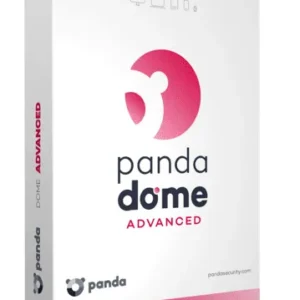
We offer three Panda Dome 2026 editions: Panda Dome Essential 2026 (1 Device, 1 Year), Panda Dome Advanced 2026 (1 Device, 1 Year) und Panda Dome Complete 2026 (1 Device, 1 Year). Each license covers one device for one year. You receive an activation code and a link to Panda's official download by email, usually within minutes.
Why buy a Panda Dome license?
Panda Dome offers protection that grows with each edition:
- Cloud-based detection: Threat analysis takes place largely on Panda's servers, which keeps the local program small and fast.
- Protection against ransomware: Advanced and Complete include a dedicated shield that stops programs from encrypting your personal files.
- Firewall and Wi-Fi protection: Essential already includes a firewall and checks the security of the Wi-Fi networks you connect to.
- Parental control: From Advanced upwards, parents can filter unsuitable web content for children.
- Privacy tools in Complete: The top edition adds a password manager, file encryption and a cleanup tool for unnecessary files.
What are the main features of Panda Dome?
The Panda Dome editions share these core features, with more added at each level:
1. Real-time antivirus
Panda scans files, programs and USB drives continuously using its cloud-based engine. Users stay protected without manual scans.
2. USB protection
Panda automatically vaccinates USB drives and scans them on connection. This stops infections that spread through shared memory sticks.
3. Safe browsing
Dome blocks malicious and fraudulent websites in your browser. Online shoppers and banking users avoid phishing pages.
4. Data shield
Advanced and Complete block unknown programs from changing chosen folders. Ransomware cannot encrypt files in those folders.
5. Password manager and file encryption
Complete includes a password manager and an encrypted file vault. Users with sensitive documents get extra privacy tools.
Which Panda Dome product is right for you?
Essential covers basic protection, Advanced adds ransomware and parental controls, and Complete adds privacy and optimization tools. All three are 1-year subscriptions for one device.
| Produkt | Best for | Geräte | Laufzeit |
|---|---|---|---|
| Panda Dome Essential 2026 (1 Device, 1 Year) | Basic antivirus, firewall and Wi-Fi checks | 1 Gerät | 1 year |
| Panda Dome Advanced 2026 (1 Device, 1 Year) | Families who need ransomware protection and parental control | 1 Gerät | 1 year |
| Panda Dome Complete 2026 (1 Device, 1 Year) | Users who also want a password manager and encryption | 1 Gerät | 1 year |
All three editions are single-device licenses, so households with several computers need one code per device. Price differences between editions are modest, so the choice should follow the features you actually use.
For a family PC used by children, Advanced is the practical minimum because it adds parental control. If you keep scans of passports, contracts or tax documents on your computer, the file vault in Complete adds a layer of protection. Users with a single, well-maintained laptop and careful browsing habits are usually fine with Essential.
Panda Dome also updates itself automatically from the cloud. You do not need to download new virus definitions by hand, and new editions of the program are offered within the license term.
What are the system requirements for Panda Dome?
Panda Dome runs on any current Windows PC, with apps for Mac and Android; check each product's System Requirements tab.
| Komponente | Mindestens |
|---|---|
| Betriebssystem | Windows 10 or 11; current macOS and Android for the mobile and Mac apps |
| Prozessor | Any current x86 or x64 processor |
| Arbeitsspeicher (RAM) | 2 GB |
| Speicherplatz | About 300 MB of free space |
| Other | Internet connection for activation, cloud scanning and updates |
How do you download and activate Panda Dome?
- Order: Choose the Panda Dome edition you need and complete payment.
- Receive the code: The activation code and download link arrive by email, usually within minutes, or within 24 hours if a security check is needed.
- Download: Install Panda Dome from Panda Security's official website.
- Activate: Sign in to or create your My Panda account and enter the activation code to start the 1-year term.
Before installing, uninstall any other security program and restart the computer. After activation, run a first full scan so Panda can check existing files; later scans are faster because known clean files are skipped. On Mac and Android, install the separate Panda app from the official website or app store.
What happens to my Panda Dome license if I reinstall or format my computer?
Your Panda license is stored in your My Panda account. After formatting, download Panda Dome again and sign in; the remaining term is assigned to the new installation. Keep your account password safe before you reinstall.
Can I move a Panda Dome license to a new PC or Mac?
Yes, remove the old device in My Panda or uninstall Panda Dome there, then install it on the new computer and sign in. Each license on this page covers one device at a time. The remaining subscription time moves with it.
What if my Panda Antivirus key does not work?
Write to our support with your order number and a screenshot of the activation error in Panda Dome. We will supply a replacement code or a refund as set out in the Erstattungsbedingungen.
Frequently asked questions about Panda Dome
Is Panda Dome a subscription?
Yes, every license on this page runs for one year from activation. After that, you renew with a new code to stay protected.
Which operating systems does Panda Dome support?
Panda Dome runs on Windows, and Panda also offers apps for macOS and Android. Some features, such as the firewall, are only available on Windows.
How many devices does one license cover?
Each product here covers one device. Buy one license per computer you want to protect.
Is Panda Dome Essential enough for home use?
Essential protects against viruses, malware and phishing on one device. If you store important documents or have children at home, Advanced adds useful protection.
Can I upgrade from Essential to Complete later?
Yes, you can activate a code for a higher edition in the same My Panda account. The new edition then replaces the old one.
Does Panda Dome slow down my computer?
Panda Dome is designed to be light, because most scanning work happens in the cloud. On older PCs this often makes it a sensible choice.
Does Panda Dome include a VPN?
Panda Dome includes a VPN with a limited daily data volume in the lower editions. Unlimited VPN is part of higher plans.
Can I run Panda alongside another antivirus?
No, two real-time scanners conflict. Uninstall your current antivirus before installing Panda Dome.
What happens when the year ends?
Protection stops updating and real-time features are disabled. Activate a new code in My Panda to continue.
Does Panda Dome protect against phishing?
Yes, the web protection checks links in the browser and blocks known fraudulent pages. Email attachments are scanned when opened.
Related software categories
Compare Panda with other security brands in Antivirus-Lizenzen. You may also need Windows Lizenzen oder Microsoft Office Lizenzen.
Was erhalten Sie beim Kauf von Panda Antivirus Lizenzen bei SuperKeyStore?
Sie erhalten eine E-Mail mit Ihrem Lizenzschlüssel, dem offiziellen Download-Link und einer Schritt-für-Schritt-Anleitung zur Aktivierung. Diese Leistungen sind in jeder Bestellung enthalten:
- Lizenzschlüssel: der Produktschlüssel für die Edition, Laufzeit und Geräteanzahl, die auf der Produktseite genannt sind.
- Offizieller Download: ein Link zum Installationsprogramm auf der Website des Herstellers.
- Aktivierungsanleitung: die Schritte zur Installation und Aktivierung der Software, auch im Tab «Download & Aktivierung» zu sehen.
- Bestellverlauf: der Key bleibt in Ihrer Bestätigungs-E-Mail und unter Mein Konto.
- E-Mail-Support: Hilfe bei Installation oder Aktivierung von unserem Support-Team.
Warum Softwarelizenzen bei SuperKeyStore kaufen?
SuperKeyStore verkauft digitale Lizenzschlüssel mit Lieferung per E-Mail, sicherem Bezahlvorgang und klaren Regeln für fehlerhafte Keys. Die wichtigsten Gründe für eine Bestellung sind:
- Digitale Lieferung: kein Versand, der Key kommt in der Regel innerhalb weniger Minuten nach der Zahlung per E-Mail, und einige Bestellungen durchlaufen eine Sicherheitsprüfung von bis zu 24 Stunden.
- Klare Produktangaben: jede Produktseite nennt Edition, Plattform, Lizenzlaufzeit und Geräteanzahl.
- Ersatz oder Erstattung: wenn ein Key nicht funktioniert, erhalten Sie einen funktionierenden Key oder Ihr Geld zurück, wie in den Erstattungsbedingungen.
- Sichere Zahlung: Zahlungen werden vom Zahlungsanbieter abgewickelt, SuperKeyStore speichert keine vollständigen Kartendaten.
Weitere Softwarelizenzen im Katalog von SuperKeyStore
SuperKeyStore verkauft auch Lizenzen in diesen Kategorien:
- Windows Lizenzen: Windows 11 Lizenzen · Windows 10 Lizenzen
- Microsoft Office Lizenzen: Office 2024 Lizenzen · Microsoft Office für Mac Lizenzen · Microsoft Word, Excel & Office-App Lizenzen · Microsoft Project Lizenzen · Microsoft Visio Lizenzen
- Microsoft 365 Lizenzen
- Antivirus-Lizenzen: Norton Antivirus-Lizenzen · McAfee Antivirus-Lizenzen · Kaspersky Antivirus-Lizenzen · Bitdefender Antivirus-Lizenzen · ESET Antivirus-Lizenzen · Avast Antivirus-Lizenzen · AVG Antivirus-Lizenzen · Panda Antivirus-Lizenzen · VPN Lizenzen · Lizenzen für Unternehmenssicherheit
- Windows Server Lizenzen & CALs: Windows Server CAL & RDS-CAL Lizenzen · Microsoft SQL Server Lizenzen · Exchange & SharePoint Server Lizenzen
- CAD- & 3D-Design-Software Lizenzen: Autodesk Software-Lizenzen · Graphisoft Archicad Lizenzen · SolidWORKS Lizenzen
- Grafik- & Fotosoftware Lizenzen: Adobe Software-Lizenzen · CorelDRAW Lizenzen
- PDF- & Office-Tools Lizenzen
- Backup- & Datenrettungssoftware Lizenzen
- Video- & Musiksoftware Lizenzen
- Virtualisierungssoftware Lizenzen
- Office- & Windows-Pakete