
AVG Antivirus-Lizenzen
AVG-Lizenzen umfassen AVG Internet Security und AVG Ultimate für Windows, Mac, Android und iOS. AVG Ultimate verbindet Internet Security mit AVG Secure VPN und den Leistungswerkzeugen von TuneUp.
- 2
- 3
- 4
Buy AVG Antivirus Licenses at SuperKeyStore
AVG is a long-running Czech security brand, now part of Gen Digital, known for its free scanner and its paid protection plans. The paid plans add real-time defences against ransomware, phishing sites and unsafe Wi-Fi networks. They suit households that want one license for computers and phones alike.
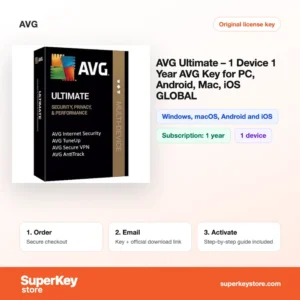
You can choose between the single-device AVG Ultimate (1 device, 1 year), the family-sized AVG Internet Security (10 devices, 1 year) and the longest plan, AVG Ultimate (10 Devices, 3 Years). A product key and download link reach your inbox, usually within minutes.
Why buy an AVG license?
Compared with AVG AntiVirus Free, a paid license adds several layers of protection:
- Ransomware shield: Protected folders stop untrusted programs from changing or encrypting your documents and photos.
- Safer browsing and payments: Web and email shields block known phishing pages, and a hardened browser mode protects online banking sessions.
- Enhanced firewall: The firewall watches network traffic on Windows and warns about intruders on public networks.
- VPN and tune-up in Ultimate: AVG Ultimate adds AVG Secure VPN for private connections and TuneUp for cleaning junk files and putting background apps to sleep.
- One license for many devices: Multi-device plans cover a mix of Windows PCs, Macs, Android phones and iPhones from a single key.
What are the main features of AVG?
AVG's paid apps add these tools on top of the basic scanner:
1. Real-time file and behavior shields
Files are scanned when they are opened or downloaded, and running programs are watched for suspicious actions. This stops most threats before they can change the system.
2. Ransomware Protection
You choose folders such as Documents and Pictures, and only trusted apps may change them. Families and freelancers keep their photos and work files safe from encryption attacks.
3. Web, email and fake-site protection
Links in browsers and email clients are checked against known phishing and malware sites. Users who shop and bank online are warned before a fake page loads.
4. AVG Secure VPN
Included in AVG Ultimate, the VPN encrypts traffic and hides your IP address. It is useful on public Wi-Fi and when traveling.
5. AVG TuneUp
Also part of Ultimate, TuneUp removes junk files, updates outdated programs and puts idle background apps to sleep. Older PCs start and run faster.
Which AVG product is right for you?
If you only need malware protection, AVG Internet Security is enough; if you also want a VPN and PC clean-up, choose AVG Ultimate. Longer terms cost less per year than renewing annually.
| Produkt | Best for | Geräte | Laufzeit |
|---|---|---|---|
| AVG Ultimate (1 device, 1 year) | A single laptop or phone | 1 Gerät | 1 year |
| AVG Internet Security (10 devices, 1 year) | Households needing core protection | 10 Geräte | 1 year |
| AVG Internet Security (10 Devices, 2 Years) | Core protection with fewer renewals | 10 Geräte | 2 years |
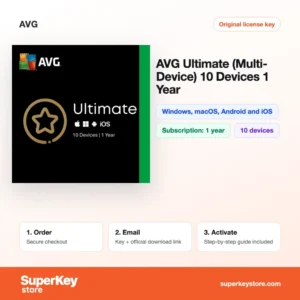
| AVG Ultimate (10 devices, 1 year) | Families wanting VPN and tune-up | 10 Geräte | 1 year |
| AVG Ultimate (10 Devices, 3 Years) | Long-term cover for the whole family | 10 Geräte | 3 years |
All plans work on Windows, macOS, Android and iOS, although some features, such as the firewall and TuneUp, are limited to certain systems.
What are the system requirements for AVG?
AVG runs on current versions of Windows, macOS, Android and iOS with modest hardware; check each product's System Requirements tab for details.
| Komponente | Typical minimum |
|---|---|
| Betriebssystem | Windows 10 or 11, a recent macOS version, a recent Android or iOS version |
| Prozessor | Intel Pentium 4 or AMD Athlon 64 class processor or newer with SSE2 on Windows; Apple silicon or Intel on Mac |
| Arbeitsspeicher (RAM) | 1 GB on Windows; more is recommended |
| Speicherplatz | 2 GB free on Windows |
| Other | Internet connection for activation, virus definition updates and the VPN |
How do you download and activate AVG?
- Place the order: Pick the plan and term and pay at checkout.
- Read the email: The activation code and download link are sent by email, usually within minutes, or within 24 hours if a security check applies.
- Install: Download the AVG app from avg.com or your device's app store.
- Activate: Open the menu, choose to enter an activation code, and paste your key. Repeat on each device up to your limit.
What happens to my AVG license if I reinstall or format my computer?
Your subscription continues for its full term. After reinstalling the system, download AVG again and enter the same activation code, or sign in to your AVG account if you linked the subscription to it. If the device limit is reached, remove the old installation from your account first.
Can I move an AVG license to a new PC or Mac?
Yes, AVG multi-device licenses are not tied to one machine. Uninstall AVG from the old device and activate the same code on the new PC, Mac or phone. The single-device plan covers one device at a time, and you can also switch between Windows and macOS.
What if my AVG Antivirus key does not work?
Contact our support team with your order number and a screenshot of the activation screen. We will send a replacement key or arrange a refund under our Erstattungsbedingungen.
Frequently asked questions about AVG
Is AVG free or paid?
Both exist. AVG AntiVirus Free offers basic scanning, while Internet Security and Ultimate are paid subscriptions with extra protection.
Does AVG work on Mac and iPhone?
Yes, the multi-device plans include apps for macOS, Android and iOS. The feature set on iPhone focuses on web protection and photo vault rather than file scanning.
Can I add a key to an existing AVG installation?
Yes, you can enter the new activation code in the installed app. It upgrades the free version or extends a running subscription.
What happens when the subscription ends?
Paid protection stops at the end of the term and the app falls back to limited features. You can activate a new key to continue.
How do I move AVG to a new computer?
Uninstall AVG from the old computer, install it on the new one and enter the same activation code. The device count is freed when the old installation is removed or deactivated in your AVG account.
Is AVG the same company as Avast?
Yes, both belong to Gen Digital and share the same detection engine. They remain separate products with their own apps and licenses.
Do I need AVG on my phone?
It is useful on Android, where apps from outside the store can carry malware. On iPhone, AVG focuses on web protection and the VPN rather than scanning.
Can I run AVG alongside Windows Defender?
Yes, Microsoft Defender switches itself to passive mode when AVG is active. Do not run two full antivirus products at the same time.
Can I upgrade from Internet Security to Ultimate?
Yes, activate an AVG Ultimate code on the same devices. The app then unlocks the VPN and TuneUp features.
How do I check how much time is left on my AVG subscription?
Open the AVG app and go to the subscription section of the menu, or sign in to your AVG account online. Both show the expiry date and the number of devices in use, so you know when to buy a renewal key.
More security software
See every brand in Antivirus-Lizenzen. You can also protect a new PC with a key from Windows Lizenzen or add Microsoft Office Lizenzen.
Was erhalten Sie beim Kauf von AVG Antivirus Lizenzen bei SuperKeyStore?
Sie erhalten eine E-Mail mit Ihrem Lizenzschlüssel, dem offiziellen Download-Link und einer Schritt-für-Schritt-Anleitung zur Aktivierung. Diese Leistungen sind in jeder Bestellung enthalten:
- Lizenzschlüssel: der Produktschlüssel für die Edition, Laufzeit und Geräteanzahl, die auf der Produktseite genannt sind.
- Offizieller Download: ein Link zum Installationsprogramm auf der Website des Herstellers.
- Aktivierungsanleitung: die Schritte zur Installation und Aktivierung der Software, auch im Tab «Download & Aktivierung» zu sehen.
- Bestellverlauf: der Key bleibt in Ihrer Bestätigungs-E-Mail und unter Mein Konto.
- E-Mail-Support: Hilfe bei Installation oder Aktivierung von unserem Support-Team.
Warum Softwarelizenzen bei SuperKeyStore kaufen?
SuperKeyStore verkauft digitale Lizenzschlüssel mit Lieferung per E-Mail, sicherem Bezahlvorgang und klaren Regeln für fehlerhafte Keys. Die wichtigsten Gründe für eine Bestellung sind:
- Digitale Lieferung: kein Versand, der Key kommt in der Regel innerhalb weniger Minuten nach der Zahlung per E-Mail, und einige Bestellungen durchlaufen eine Sicherheitsprüfung von bis zu 24 Stunden.
- Klare Produktangaben: jede Produktseite nennt Edition, Plattform, Lizenzlaufzeit und Geräteanzahl.
- Ersatz oder Erstattung: wenn ein Key nicht funktioniert, erhalten Sie einen funktionierenden Key oder Ihr Geld zurück, wie in den Erstattungsbedingungen.
- Sichere Zahlung: Zahlungen werden vom Zahlungsanbieter abgewickelt, SuperKeyStore speichert keine vollständigen Kartendaten.
Weitere Softwarelizenzen im Katalog von SuperKeyStore
SuperKeyStore verkauft auch Lizenzen in diesen Kategorien:
- Windows Lizenzen: Windows 11 Lizenzen · Windows 10 Lizenzen
- Microsoft Office Lizenzen: Office 2024 Lizenzen · Microsoft Office für Mac Lizenzen · Microsoft Word, Excel & Office-App Lizenzen · Microsoft Project Lizenzen · Microsoft Visio Lizenzen
- Microsoft 365 Lizenzen
- Antivirus-Lizenzen: Norton Antivirus-Lizenzen · McAfee Antivirus-Lizenzen · Kaspersky Antivirus-Lizenzen · Bitdefender Antivirus-Lizenzen · ESET Antivirus-Lizenzen · Avast Antivirus-Lizenzen · AVG Antivirus-Lizenzen · Panda Antivirus-Lizenzen · VPN Lizenzen · Lizenzen für Unternehmenssicherheit
- Windows Server Lizenzen & CALs: Windows Server CAL & RDS-CAL Lizenzen · Microsoft SQL Server Lizenzen · Exchange & SharePoint Server Lizenzen
- CAD- & 3D-Design-Software Lizenzen: Autodesk Software-Lizenzen · Graphisoft Archicad Lizenzen · SolidWORKS Lizenzen
- Grafik- & Fotosoftware Lizenzen: Adobe Software-Lizenzen · CorelDRAW Lizenzen
- PDF- & Office-Tools Lizenzen
- Backup- & Datenrettungssoftware Lizenzen
- Video- & Musiksoftware Lizenzen
- Virtualisierungssoftware Lizenzen
- Office- & Windows-Pakete